
Booknify Appointment Booking Plugin with Product Inventory Feature

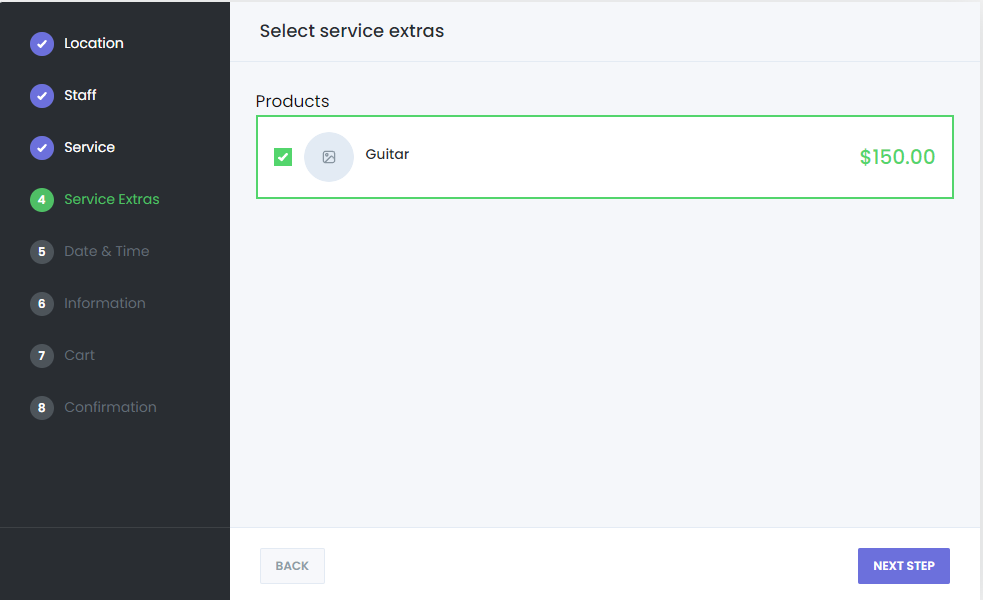
The Booknify Appointment Booking system includes a powerful feature that allows you to offer extra products to your customers during the booking process. This feature not only boosts your overall sales but also simplifies the checkout process, allowing you to focus on delivering excellent service while handling product sales seamlessly. Customers will appreciate the convenience of paying for both services and products in one transaction, enhancing their overall experience.
With this feature, customers can easily select additional products during their booking, such as health supplements or self-care items that complement the services you offer. By doing so, you can increase your sales by 10-20% without raising service prices.
How to set up the Product Inventory feature

As mentioned, every feature in Booknify is designed with customer convenience in mind. To use the Product Inventory feature, simply follow these steps:
Go to “Product Inventory” in the Booknify dashboard.
Click on “Create Product +” to add a new product.
Enter the product details such as name, quantity, purchase price, and sale price. The quantity will automatically decrease with each sale.
Optionally, you can select the “Disable select in booking panel” option to make the product mandatory for purchase.
With this simple setup, you can easily manage and offer products alongside your services, enhancing your sales and overall customer experience.
Other features

Bring People with You
Personalize your booking panel to your preferences

RTL Support
